Stop Hunting for Buttons: Meet Clynevia's AI Assistant
Clynevia's AI assistant answers in Arabic and shows you exactly where to click — without you stopping your work to search the help center.

In this article
The first two weeks with any new software cost you more time than they save. You open a screen, hunt for the "new patient" button, forget where the allergy field went, and ask yourself the same question you asked yesterday. That's not a personal failing — it's just how new tools work. But your evenings are already spoken for, and the last thing you want to spend them on is relearning a button instead of building a plan.
Clynevia's AI assistant was built for exactly that moment: ask it in Arabic, and it answers with real steps from the actual screen in front of you — not generic translated boilerplate, not a link to a long help-center article.
- Clynevia's AI assistant answers questions in Arabic using the real buttons and screens in your workspace — not generic, translated help-center text.
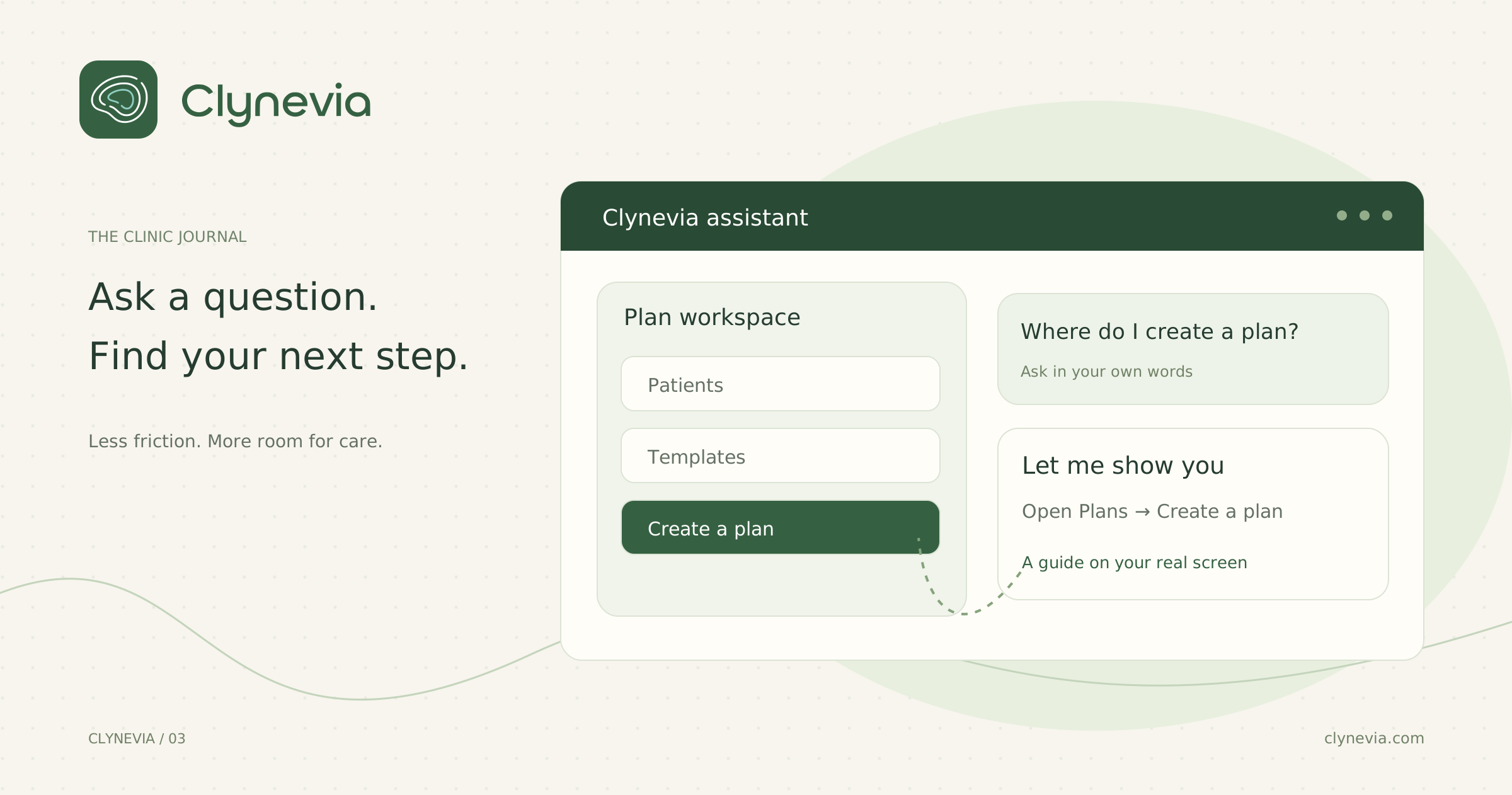
- Ask it something like "How do I add a new patient?" and, when the question matches a known task, a "Start the Tour" button takes you to the exact screen and highlights the exact button.
- If you mention a patient by name and they're in your list, the assistant can open their actual file directly — no digging through a list.
- It keeps working even if the connection drops, and it explains the software — clinical decisions and the meal plan itself remain the specialist's call.
The old way, and the new way
The old way looked like this: a new patient sits down, you can't remember where the allergy field is, you open three tabs trying to find it, the patient waits, and you make a mental note to email support later — a note you'll probably forget by the end of the day.
The new way: you tap the assistant, ask "where do I log allergies?", and either get the answer directly or a "Start the Tour" button that walks you straight to the field. No tab-switching, no waiting until evening to figure it out, no support ticket. The session keeps moving.
What it actually does
Tap the assistant icon (bottom-right of any screen in your workspace) and ask it the way you'd ask a colleague sitting next to you:
- "How do I add a new patient?"
- "Where are the print templates?"
- "How do I log a body report for Sarah?"
The assistant doesn't invent an answer. It's grounded in a real catalog of every screen and button in the workspace, so when it says "tap '+ New Patient' at the top right of the list," that button is actually there. When your question matches a documented task, a "Start the Tour" button appears that takes you to the right screen and highlights the exact button — you don't read instructions and go looking for them, you see them in front of you.
Mention a patient's name, and it knows who you mean
Ask "how do I log a body report for Sarah?" and if Sarah is in your patient list, the guided tour opens her actual file — not a generic list you have to search through. If no patient matches, it says so plainly and gives you the general steps instead of opening the wrong record.
And if the connection drops?
The assistant doesn't stop working. If there's a temporary outage, it falls back automatically to matching your question against the same task catalog by keyword, so you still get a direct answer instead of a blank screen or an error message. The goal is getting you back to work, not making you wait.
Built on your real screens, not a generic chatbot
Most in-app assistants are a thin wrapper around a general-purpose AI model that has read your help articles — useful for broad questions, less useful when you need the exact button on the exact screen you're looking at right now.
Clynevia's assistant works differently. It's built on a catalog of every real task and screen in the workspace, so when it tells you where something is, that's not a best guess pulled from documentation — it's a direct match to a task that actually exists in your version of the software. That's also why the guided tour can highlight the precise button: it isn't describing the interface, it's pointing at it.
Your patient data stays where it belongs
Because the assistant can open a specific patient's file when you mention them by name, it's fair to ask what it can see. The answer: only what belongs to your clinic. Clynevia keeps every clinic's data strictly isolated from every other clinic's — the assistant works inside that same boundary, not around it. It can guide you to a patient's record because you already have access to that record; it doesn't gain any access you don't already have.
The result: the convenience of "just ask" without a new privacy tradeoff to think about.
A chance to make it better
Every answer has a 👍 / 👎 underneath. That's not a technical afterthought — it's how we know exactly where the assistant still needs to improve, based on your real questions, not our guesses.
Note: the assistant explains how to use the software — any clinical decision or nutrition plan remains yours as the specialist.
FAQ
01Does the AI assistant make clinical or nutrition decisions?+
No. It explains how to use the software and can guide you to the right screen — any clinical decision or nutrition plan remains entirely up to you as the specialist.
02What happens if I ask a question it doesn't recognize?+
It tells you plainly rather than guessing, and gives you the general steps instead of opening the wrong screen or patient file.
03Does it work if the patient's name doesn't match anyone in my list?+
It says so directly and falls back to general steps rather than opening an unrelated record.
04What happens if my internet connection drops while I'm using it?+
The assistant keeps working. It falls back to matching your question against its task catalog by keyword, so you still get a direct answer instead of an error message.
05Can I give feedback if an answer isn't helpful?+
Yes — every answer has a thumbs-up/thumbs-down underneath, which is how the assistant's real gaps get identified and improved over time, based on your actual questions, not our guesses.