
InBody Results in the Patient Record—Automatically
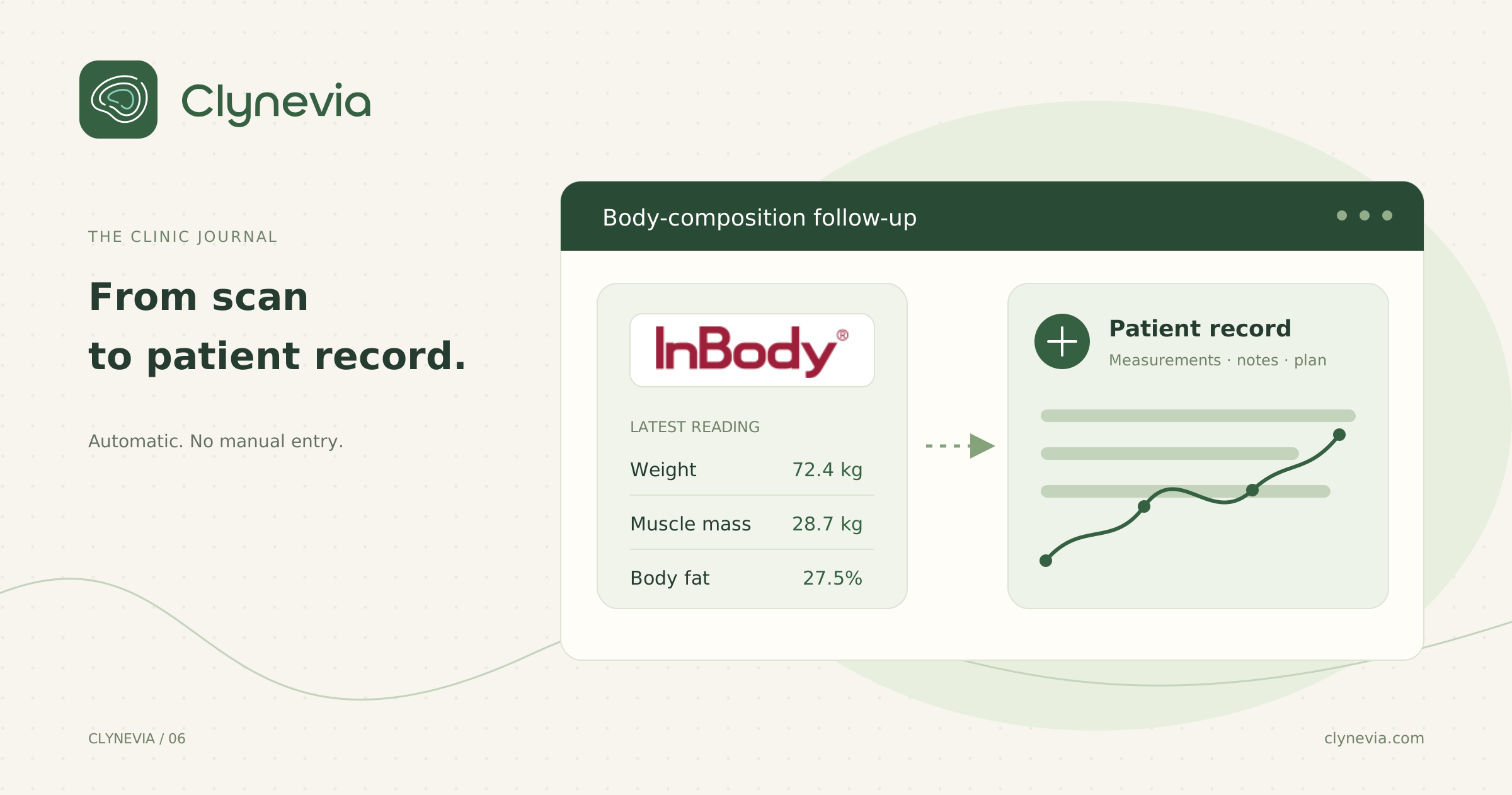
After the scan, the result arrives in the right Clynevia patient record—without a manual upload or re-entering measurements. Your readings are ready to review and compare across visits.
In this article
An InBody device gives you an important reading. Its value grows when that reading moves straight into the patient record, ready for follow-up. Instead of uploading a report or copying measurements yourself, you find the result in Clynevia alongside the patient's history, notes, and plan.
When the result stays on paper, in a phone photo, or somewhere separate from the record, you have to rebuild the picture each time. The scan is not the problem. The manual work after it is.
Clynevia's InBody integration removes those steps. After the scan, the result is imported automatically into the right patient record, where you can review the measurements and compare change across visits. Clynevia organizes the information; interpretation and clinical decisions remain with you.
- InBody results are imported automatically into the Clynevia patient record.
- There is no report to upload and no measurements to re-enter.
- You can compare readings across visits and see the direction clearly.
- Your clinical expertise interprets the figures; Clynevia keeps them in context.
The result matters—but it should not stay separate
On a busy clinic day, the pattern is familiar. The patient completes the scan, you review the result, note what matters, and move to the next appointment. A few weeks later, you need to understand what changed. Then the search begins: where is the previous result? Was it a WhatsApp photo? Is it in the paper file? Are you looking at the latest one?
That fragmentation adds administrative work to a clinical decision that should be clear. Instead of focusing on what the change means, you spend time assembling data and checking dates. With the integration, the result arrives where it belongs from the start.
The direction matters more than a single reading
One result describes one moment. Good follow-up needs a sequence. What were the patient's weight, muscle mass, and body-fat percentage at the previous visit? What moved since then? How does that change relate to the plan, your notes, and the stage of care?
When measurements are organized by visit within one patient record, the follow-up becomes easier to read. You can review the latest result against the previous one and begin the conversation with a broader picture than a single figure.
The boundary matters: the device provides the measurement, and the workspace organizes the record. Interpretation and clinical decisions remain with you.
How automatic InBody import fits into the clinic day
1. Run the scan as usual
There is no extra post-scan step to remember. The result moves into Clynevia automatically, without uploading a report or copying measurements.
2. Open the patient record
The measurements are already in the right record with their date, beside the patient's notes and plans. You do not need several places to understand the current situation.
3. Compare before the appointment
Take a minute before the patient arrives to review the most recent readings and the notes around them. That small routine makes your questions more precise and keeps session time focused on discussion and decisions rather than searching.
4. Put the numbers back into context
A figure never tells the entire story. Look at the current plan, adherence, documented health changes, and your professional observations. Clynevia brings the follow-up elements together; you turn them into clinical understanding.
What changes when the result arrives in the right place?
Fewer manual steps: There is no report to upload and no measurements to enter after each scan.
Less time spent searching: The measurement history sits with the patient record instead of across printouts, photos, and conversations.
Calmer follow-up visits: You enter the appointment knowing what changed and what deserves a question, rather than reconstructing the history from scratch.
A clearer patient conversation: Visit-to-visit comparisons help you explain direction in plain language without exaggerating one reading or reducing progress to one number.
Better continuity: Notes, plans, and measurements stay in the same context even as your caseload grows beyond what memory can reliably hold.
Integration should remove steps, not add them
Adding a device to the clinic should expand what you can see, not create another disconnected system and more work to remember. Clynevia's InBody integration sends the result automatically to the right patient record, with a clear date and the context you already use to make decisions.
The aim is not for Clynevia to interpret the result in place of the dietitian or turn a scan into an automatic verdict. Its role is to organize the picture and remove repetitive manual work so your expertise is used where it matters.